

How to open or claim a Trump Account
How to open or claim a Trump Account
Learn how to check whether your child already has a Trump Account, claim an existing account, or open one if needed
How to open or claim a Trump Account
Learn how to check whether your child already has a Trump Account, claim an existing account, or open one if needed

10.12.2026
Key takeaways
- Start by checking whether the Treasury Department has already created a Trump Account for your child. If an account exists, you'll need to claim it rather than open a new one.
- The $1,000 federal seed contribution requires making a separate election for eligible children.
- Automating contributions can be a good way to help you invest consistently to build your child’s account.
Parents now have a new way to invest for their children's future. Trump Accounts (also known as 530A accounts) are tax-advantaged investment accounts designed to help eligible children build long-term savings. There is no minimum balance or account-opening fee.
The Treasury Department has automatically created Trump Accounts for more than 60 million eligible children. That means if you're wondering how to open a Trump Account for your child, your first step is to check whether an account already exists. If it does, you'll need to claim the account to manage it. If no account is found, you can follow the official process to open one using IRS Form 4547.1
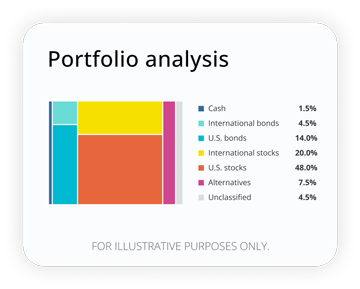
How well are your investments performing?
Analyze your portfolio in minutes and receive a target allocation for your goals.
The steps you'll take depend on whether the Treasury Department has already create a Trump Account for your child. Here's what you'll need to do:
- Check whether your child already has a Trump Account through the Trump Accounts app or web portal.
- If an account exists, claim it by verifying your identity and authority to act on the child's behalf, reviewing the child's information, and accepting the account terms.
- If no account is found, complete IRS Form 4547 through the Trump Accounts app or IRS online account to open one.
- Make a separate election for the $1,000 federal contribution if your child is eligible.
- Once the account is opened or claimed, you can fund and manage it.
Is your child eligible for a Trump Account?
In general, children are eligible for a Trump account if they’re younger than 18 before the end of the calendar year the election is made and have a valid Social Security number.2 Parents, legal guardians, and other authorized adults (adult siblings and grandparents) may be able to claim an existing account or open one on behalf of the child.3 Consider checking the latest guidance from the IRS and Treasury because eligibility requirements and procedures may change.
Certain family situations, such as shared custody, foster care, or guardianship changes, potentially could affect authorization eligibility.
What you'll need to open or claim a Trump Account
Before you start, gather the information you may need to check for, claim, or open a Trump Account. The exact information required may depend on whether your child already has an account.
You may need:4
- Your legal name and date of birth
- Your current address
- Your Social Security number (SSN) or Individual Taxpayer Identification Number (ITIN)
- Your current email address and phone number
- Your child’s legal name
- Your child’s Social Security number
- Your child’s date of birth and address
Information about your relationship to the child and your authority to act on their behalf
Read more: Trump account for kids: Eligibility, government contribution, and limits
How to claim a Trump Account that already exists
If your child already has a Trump Account, you can claim it through the Trump Accounts app or web portal. Claiming the account establishes you as the Responsible Party and gives you access to manage it.5
- Sign in or create your login
Sign in to the Trump Accounts app or web portal. If you don't already have a login, you'll need to create one using your own contact information.
- Verify your identity and authority
Follow the prompts to verify your identity and your legal authority to act on the child's behalf. You'll also be asked to provide or confirm information about your child.
- Review and claim the account
Review your child's information and the account terms before completing the claim. Once the account is claimed, you can view its full history, manage contributions, and access statements and tax documents.
- Add other children, if applicable
If you have more than one eligible child, you can add and manage their Trump Accounts using the same app and login. After claiming an account for one child, select “Add child” and follow the on-screen steps to add additional children.
How to open a Trump Account when no account is found
Sign in, complete, and submit IRS Form 4547
You'll start on the Internal Revenue Service’s Trump Accounts page or app and sign in using your IRS Online Account. If you don't have one yet, you'll need to complete identity verification through ID.me first before getting started. You can also complete Form 4547 through the Trump Accounts app.
Once you're signed in, you can fill out IRS Form 4547 with your information, the child's identifying information, and a certification that you're authorized to open the account. Authorized individuals can complete the election any time throughout the year before the applicable age deadline.
You'll have the option to request the one-time $1,000 federal seed contribution, if your child qualifies under the program requirements. This step is important because it does not happen automatically when you open the account. Be sure to take a moment to double-check details to help avoid any processing delays for the one-time contribution.
Check your election status
After submitting Form 4547, you can check the status of your submitted election on the IRS Trump Accounts page.
Complete the account setup
Once the IRS confirms your child's eligibility, you'll receive an email and in-app notification with instructions to complete the remaining steps to access your child's account.
You may receive an email or in-app notification with instructions about your account. If you're unsure whether a communication is legitimate, don't click the link. Instead, go directly to TrumpAccounts.gov yourself.
How to request the $1,000 seed contribution
Having a Trump Account and requesting the $1,000 federal seed contribution are two separate actions.6 If the child is a U.S. citizen born between January 1, 2025, and December 31, 2028, an authorized individual must make a separate election on the child's behalf to receive the contribution.
If you didn't request the contribution when you first completed Form 4547, you can submit another Form 4547 to make the election, as long as your child is eligible.
Making your first contribution
Once you have access to the child’s account, you can make your first contribution and continue funding it. From the app or website, select the child's account, link your bank account, choose your contribution amount, and review the details before submitting. You can make a one-time contribution or set up recurring deposits.
If your budget allows, automating contributions can make it easier to build assets in the account over the long term. Whatever the amount, consistent deposits can potentially grow through compounding, and automatic contributions mean you don't have to remember to transfer money each month. However, remember that the account balance is not guaranteed and may rise and fall over time.
Parents, other family members, and employers can contribute a combined total of up to $5,000 per child in 2026 and 2027. That annual limit doesn't include the initial government seed contribution for eligible children or qualifying philanthropic contributions. Contribution limits can change in future years, so it’s important to review the current rules.
How to fix common Trump Account opening and claiming problems
This at-a-glance guide can be helpful if you run into any bumps during the process.
If this happens | Try this | Avoid |
|---|---|---|
You can't sign in to your IRS account | Recover your account through the IRS Trump Account page or ID.me account recovery. | Creating multiple IRS accounts or emailing login credentials. |
Child's account isn't found | Recheck the child's identifying information. If no account is found, follow the Form 4547 process to open one. | Filing repeated forms without first checking the account or election status. |
You or the child can't be verified | Make sure names, birth dates, Social Security numbers or ITINs, and addresses match official records. Follow any instructions provided through the official process. | Sending personal information through email, text, or social media. |
Another eligible adult already claimed the account | If more than one person is eligible to claim the account, such as separated co-parents, the first to complete the process becomes the Responsible Party.7 If you have questions or concerns about access, contact official Trump Accounts support. | Trying to create another account or bypass the Responsible Party. |
Your Form 4547 is still pending | Confirm your status on the IRS Trump Accounts page. If the IRS indicates additional action is needed, follow the instructions provided before submitting another election. | Submitting another Form 4547 before reviewing the IRS notice and correcting any identified information. |
You didn't receive an expected email or notification | Check your spam or junk folder, confirm you used the correct email address, then sign in directly at TrumpAccounts.gov or contact the official Treasury support phone number at 866-USA-4547 if you still can't activate your account. | Calling phone numbers from search ads or links in unsolicited emails or texts. |
You can't access the mobile app | Try using the official Trump Accounts web portal or contact official Trump Accounts support. | Downloading apps with similar names from unofficial app stores or websites. |
Your bank account won't link | Retry from the Trump Accounts app or web portal. If the issue continues, use the in-app support options or call the official Treasury support line. | Sharing your online banking credentials with anyone who contacts you unexpectedly. |
Frequently asked questions about opening and claiming Trump Accounts
Is there a deadline to claim a Trump Account?
No. There is no deadline to claim a Trump Account. An unclaimed account stays open and any funds in it remain invested. When the child turns 18, the account converts to a traditional IRA in their name.8
What if I don’t finish claiming my child’s Trump Account?
If you don’t finish claiming your child’s Trump Account, your progress is saved. You can sign back in using the same login and continue the claiming process where you left off.9
Can another parent or guardian claim my child’s Trump Account?
Yes. Another parent or guardian may be eligible to claim your child’s Trump Account. If more than one eligible adult can claim the account, such as separated co-parents, the first eligible adult to complete the claiming process becomes the Responsible Party and is granted control of the account.10
Does opening or claiming a Trump Account automatically get my child the $1,000 federal contribution?
No. Opening or claiming a Trump Account does not automatically provide your child with the $1,000 federal contribution. An authorized individual must make a separate election for an eligible child to receive the contribution.11
What if my child’s Form 4547 can’t be processed?
If your child's Form 4547 can't be processed, check your election status and review the IRS notice explaining the issue and next steps. Correct any identified information before submitting another Form 4547.12
Can I open Trump Accounts for more than one child?
Yes. You can open Trump Accounts for multiple eligible children. Form 4547 can include elections for up to two children. If you need to make elections for additional children, you'll need to submit another form.13
Investments involve risk, including possible loss of principal.
1 Department of Treasury, “Treasury Announces the Completion of Automatic Enrollment Today for Trump Accounts,” October 2026.
2 TrumpAccounts.gov, “Trump Accounts: The American Dream starts now,” accessed August 2026.
3 Internal Revenue Service, “Trump Accounts,” July 7, 2026.
4 TrumpAccounts.gov, “Complete Form 4547,” October 2026.
5 TrumpAccounts.gov, “Claim an account,” October 2026.
6 Ibid.
7 Ibid.
8 Ibid.
9 Ibid.
10 Ibid.
11 Ibid.
12 TrumpAccounts.gov, “Complete Form 4547,” October 2026.
13 Ibid.
RO5989451-1026
 Get The Currency newsletter



The Currency editors
Staff contributors
The CurrencyTM writers and editors cover the latest financial news and insights shaping how we live, work, and play. The team provides accurate, data-driven, and timely content aimed at empowering financial freedom for all.
The content contained in this blog post is intended for general informational purposes only and is not meant to constitute legal, tax, accounting or investment advice. You should consult a qualified legal or tax professional regarding your specific situation. No part of this blog, nor the links contained therein is a solicitation or offer to sell securities. Compensation for freelance contributions not to exceed $1,250. Third-party data is obtained from sources believed to be reliable; however, Empower cannot guarantee the accuracy, timeliness, completeness or fitness of this data for any particular purpose. Third-party links are provided solely as a convenience and do not imply an affiliation, endorsement or approval by Empower of the contents on such third-party websites. This article is based on current events, research, and developments at the time of publication, which may change over time.
Certain sections of this blog may contain forward-looking statements that are based on our reasonable expectations, estimates, projections and assumptions. Past performance is not a guarantee of future return, nor is it indicative of future performance. Investing involves risk. The value of your investment will fluctuate and you may lose money.
Certified Financial Planner Board of Standards Inc. (CFP Board) owns the certification marks CFP®, CERTIFIED FINANCIAL PLANNER™, CFP® (with plaque design), and CFP® (with flame design) in the U.S., which it authorizes use of by individuals who successfully complete CFP Board's initial and ongoing certification requirements.